Average Response Time Looks Fine but the App Is Slow: Check p95/p99
Short answer
Your average is diluting the slowest requests. Latency distributions are right-skewed, so a few multi-second requests barely move the mean, and those few are what customers remember. Track p50, p95 and p99 from histograms, broken down by route. Then trace the slow requests to their cause, which is usually GC pauses, cold starts, N+1 queries or a saturated dependency. Do all of that before anyone quotes you a rebuild.
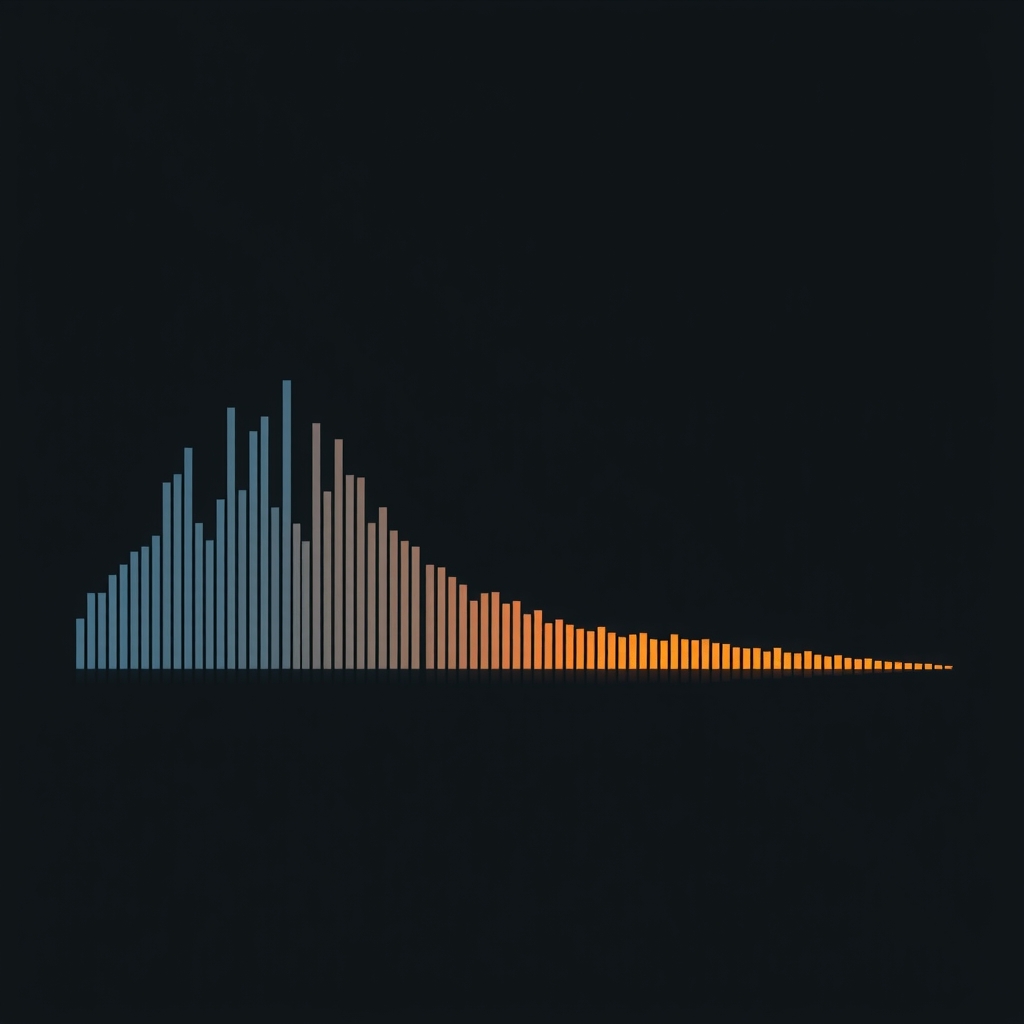
Most monitoring dashboards show one number for response time, and that number is usually the arithmetic mean. The mean is the wrong summary for latency. Response times don't form a bell curve. Most requests cluster near a fast floor, and a long tail stretches out to the right.
A percentile marks a position in the sorted distribution of response times. p50 (the median) is the time half of all requests beat, p95 is the time 95% beat, and p99 is the time 99% beat. The mean folds the tail into the bulk of requests and reports a number that very few users actually experience.
Why does the average look fine when customers say the app is slow?
Here is a concrete case. In a worked example of 1,000 requests, 12 slow requests push the mean to 80 ms while the median stays at 52 ms and p99 reaches 2,400 ms. An 80 ms average looks healthy on a dashboard, but the 12 people who waited 2.4 seconds are the ones who call support. Real traffic behaves the same way: one engineer plotted about 135,000 requests over 10 minutes and found an average under 50 ms, with some requests taking up to 2,500 ms.
The tail matters more than its share of traffic suggests, for three reasons:
- One page view is many requests. A page that fans out to many backend calls gives every view many chances to land in somebody's tail. This is why tail latency compounds in distributed systems: rare slow responses become common when one request depends on many services.
- Your most valuable users often hit the tail most. Large accounts have more records, longer histories and heavier queries. The median user isn't the one renewing a big contract.
- Synthetic checks look like the median. One production service set its SLO from a synthetic, well-behaved client, while its worst 5% of real requests ran 5 to 10x slower. Users saw a degradation the SLO never caught.
The business cost is well documented. Google found that an extra 500 ms on search results cut traffic by 20%, which is why it targets low tail latency even though its average is around 100 ms.
How do you instrument p50, p95 and p99 correctly?
Turning on a "p99" widget isn't enough. Most broken latency dashboards fail for one of these reasons:
- Record histograms, not means. Each request increments a counter in a latency bucket, and percentiles are computed from the buckets when you query. OpenTelemetry's
http.server.request.durationmetric and Prometheus histograms both work this way. - Never average percentiles. The mean of server A's p99 and server B's p99 isn't the fleet's p99. Merge the bucket counts first, then compute the percentile.
- Break down by route, and by tenant where you can. A fleet-wide p99 hides the one endpoint that is timing out for your largest customer.
- Watch the sample count. If a 5-minute window holds 300 requests, its p99 comes down to 3 requests. For low-traffic apps, widen the window and read the slow traces themselves.
- Extend the bucket boundaries past your worst case. If the top bucket is 1 second, a 6-second cold start just shows up as "over 1 second."
- Measure in two places. Server-side timing tells you what your code did. Browser timing tells you what the user felt. The gap between the two is network and front end.
A typical query, merged across instances, per route:
# p99 per route over 5 minutes, merged across all instances
histogram_quantile(0.99,
  sum by (le, http_route) (
    rate(http_server_request_duration_seconds_bucket[5m])
  )
)
Histograms tell you that the tail is bad. Distributed traces tell you why. Use tail-based sampling, which keeps every slow or failed trace instead of a random 1%, and enable exemplars so a spike in a histogram bucket links straight to a trace ID you can open.
What causes tail spikes when CPU and averages look normal?
Each common cause leaves a different fingerprint. Match the pattern before you guess at a fix.
| Cause | Percentile pattern | What the trace shows | Evidence to request |
|---|---|---|---|
| GC pauses | p50 flat; p99/p99.9 spikes at a regular rhythm, across all routes | Gaps where no span is doing work | GC logs with pause durations, lined up against latency |
| Cold starts | p50 normal; p99 jumps after idle periods, deploys or scale-out | Long init span before the handler runs | Cold start rate and init duration per function |
| N+1 queries | p50 grows with data size; worst on list and report pages | Hundreds of near-identical DB spans | Query count per request, by route |
| Saturated dependency | All percentiles climb together under load, p99 first | Time spent waiting for a connection or a thread, not executing | Pool wait time, queue depth, dependency latency |
Garbage collection pauses
A garbage collection pause happens when a managed runtime freezes application threads to reclaim memory, so your p99 and p99.9 are often measuring a pause, not business logic. Java is the well-documented case: in Apache Cassandra, which is written in Java, most reads complete in 2 ms but some stall for tens of milliseconds during a periodic collection. How much this matters depends on the runtime and its collector, so ask for the actual pause logs rather than assuming. Typical remedies are reducing allocation in hot paths, right-sizing the heap and tuning or changing the collector. None of them requires a new language.
Serverless cold starts
A cold start happens when the platform has to allocate resources, initialize the runtime, load code and establish dependencies before it can serve a request. In mature applications, cold starts hit less than 1% of requests, but they can make those requests 10 to 100x slower. Runtime choice matters a lot: one analysis measured Java at up to 5.2 seconds against under 200 ms for optimized Python, and found that AWS Lambda SnapStart cut Java cold starts by 91.1%. Typical figures run from 200 ms to 3 seconds, and they land right in the p99. Provisioned concurrency, smaller deployment bundles and lazy-loaded dependencies are configuration changes, not rewrites.
N+1 queries
An ORM fetches a list of parent records with one query, then runs one more query per record to load related data. It runs fast on a developer laptop with 20 rows and crawls in production. With 1,000 records it becomes 1,001 queries instead of 1 or 2, and at 10,000 records the page times out. On PostgreSQL, the call counts give it away:
-- Queries executed far more often than traffic justifies
SELECT calls, round(mean_exec_time::numeric, 2) AS mean_ms, query
FROM pg_stat_statements
ORDER BY calls DESC
LIMIT 20;
The fix is eager loading or a single join, usually a few lines per call site.
Saturated dependencies and queueing
When thread pools or connection pools fill up, requests wait in queues, often without high CPU to warn you. A related failure: once the working set outgrows RAM, synchronous disk reads block request threads and p99 climbs sharply. Look at pool wait time, which is separate from query time. Tail latency also triggers client retries, and retries without idempotency are how duplicate charges happen.
Is it Monroe's internet or is it the backend?
Sometimes it really is the network. Monroe has 9 providers and an average download speed of 149 Mbps, but only about 31% fiber coverage, while Xfinity cable reaches 91.4% of the city. Those figures cover the city of Monroe. Customers in West Monroe, Ruston, Bastrop or rural Ouachita Parish may be on very different connections, including cellular.
Bandwidth also isn't latency. A 150 Mbps connection with high round-trip time still feels slow on a page that makes 40 sequential requests. To separate the causes, have the server send a Server-Timing header and collect real-user monitoring from browsers. If server p99 is flat but browser p99 is bad, and the bad numbers cluster by ISP or device, look at payload size, request waterfalls and caching, not the database.
Questions to ask your vendor before paying for a rebuild
A rebuild doesn't fix tail latency by itself. A rewrite on the same ORM with the same pool settings brings the N+1 queries and queueing right back. Before you approve one, ask for:
- [ ] The p50, p95 and p99 histogram per route for the last 30 days, not the average.
- [ ] Request counts behind each percentile, so you know the numbers mean something.
- [ ] Five to ten of the slowest traces, with an explanation of where the time went.
- [ ] GC pause durations lined up against latency spikes.
- [ ] Cold start rate and init time, if anything runs serverless.
- [ ] Database queries per request on the slowest routes.
- [ ] Connection pool and thread pool wait times at peak.
- [ ] Browser-side timing compared with server-side timing.
- [ ] A specific hypothesis for each slow route, and the cost to test it before any rewrite.
If the team can't produce these, the first job is instrumentation, not a rewrite. When I led a production outage investigation and the performance work that followed, targeted fixes cut p90 page time by 47% and reduced hosting costs by $1,400 to $2,100 a month. Measurement told us where to spend the effort.
If you'd rather build this capability in-house, Louisiana Tech in Ruston offers Computer Science and Software Engineering degrees, and its College of Engineering and Science also offers courses in Monroe. ULM's Computer Information Systems program covers software development, database design and networking. For oversight without a full-time hire, a fractional CTO can own the metrics and hold vendors to them.
Where to start
- Replace the average on your dashboard with p50, p95 and p99 per route, built from histograms.
- Turn on tracing with tail-based sampling so slow requests are always kept.
- Add
Server-Timingand browser monitoring to split network problems from server problems. - Match the worst routes against the fingerprint table above and test one hypothesis at a time.
- Make the vendor checklist above a condition of any rebuild quote.
If you want a second set of eyes on your latency data or a vendor's proposal, email hello@josephleporati.com.
Common questions
Which percentile should I set a latency target on, p95 or p99?
Set targets on both, for different jobs. p95 shows what a meaningful slice of users routinely feels and is stable enough to alert on. p99 catches GC pauses, cold starts and queueing that hit your heaviest users. For low-traffic apps, p99 over a short window may rest on just a few requests, so pair it with longer windows and direct review of the slowest traces.
Can I average p99 values from several servers to get the overall p99?
No. Percentiles don't average. If one server has a bad tail and another doesn't, averaging their p99s produces a number that matches no real distribution. Merge the raw histogram bucket counts across all instances first, then compute the percentile from the combined buckets. Prometheus does this when you sum bucket rates before calling histogram_quantile, and most observability backends handle it the same way.
Will adding more servers fix high p99 latency?
Only when the cause is saturation of your own compute. More servers don't fix N+1 queries, slow GC configuration or a saturated shared database. They can make a database bottleneck worse by opening more connections against it. Scale-out can also add cold starts on serverless platforms. Confirm from traces that requests are waiting for application capacity before you pay for more of it.
How long should I collect data before trusting p95 and p99 numbers?
Long enough for each window to hold a few thousand requests per route you care about. A p99 is set by the slowest 1%, so a window with 500 requests depends on just 5 of them. Busy apps can use 5-minute windows. Smaller business apps usually need hourly or daily windows, plus a week or more of history to capture weekly peaks and batch jobs.
Sources
- Percentiles vs averages: why your latency dashboard lies clickhouse.com
- What Is P99 Latency? Understanding the 99th Percentile of Performance aerospike.com
- Latency percentiles for load testing analysis gatling.io
- P95 Latency: What It Is & Why It Matters redis.io
- Tail Latency: Why the Slowest Requests Matter Most redis.io
- Cold Start Performance in Serverless Computing: A Comprehensive Cross-Provider Analysis papers.ssrn.com
- Maintaining P99 Latency with Autoscaling Cold Starts dev.to
- The N+1 Database Query Problem Explained thecodinggopher.substack.com
- Understanding N+1 Database Queries: Rails, Django, and Elixir scoutapm.com
- 9 Best Internet Providers in Monroe, LA (for 2025) americantv.com
- Monroe - Internet Guide [2026] internetproviders.ai
- Top 11 Internet Providers in Monroe, LA broadbandnow.com
- 2025 Best Computer Science Schools in Louisiana collegefactual.com
- Louisiana Tech University College of Engineering and Science en.wikipedia.org
- Computer Information Systems - University of Louisiana Monroe ulm.edu